 BankGPT
Operator console
A screenshot tour of every admin screen and the caller chat simulation.
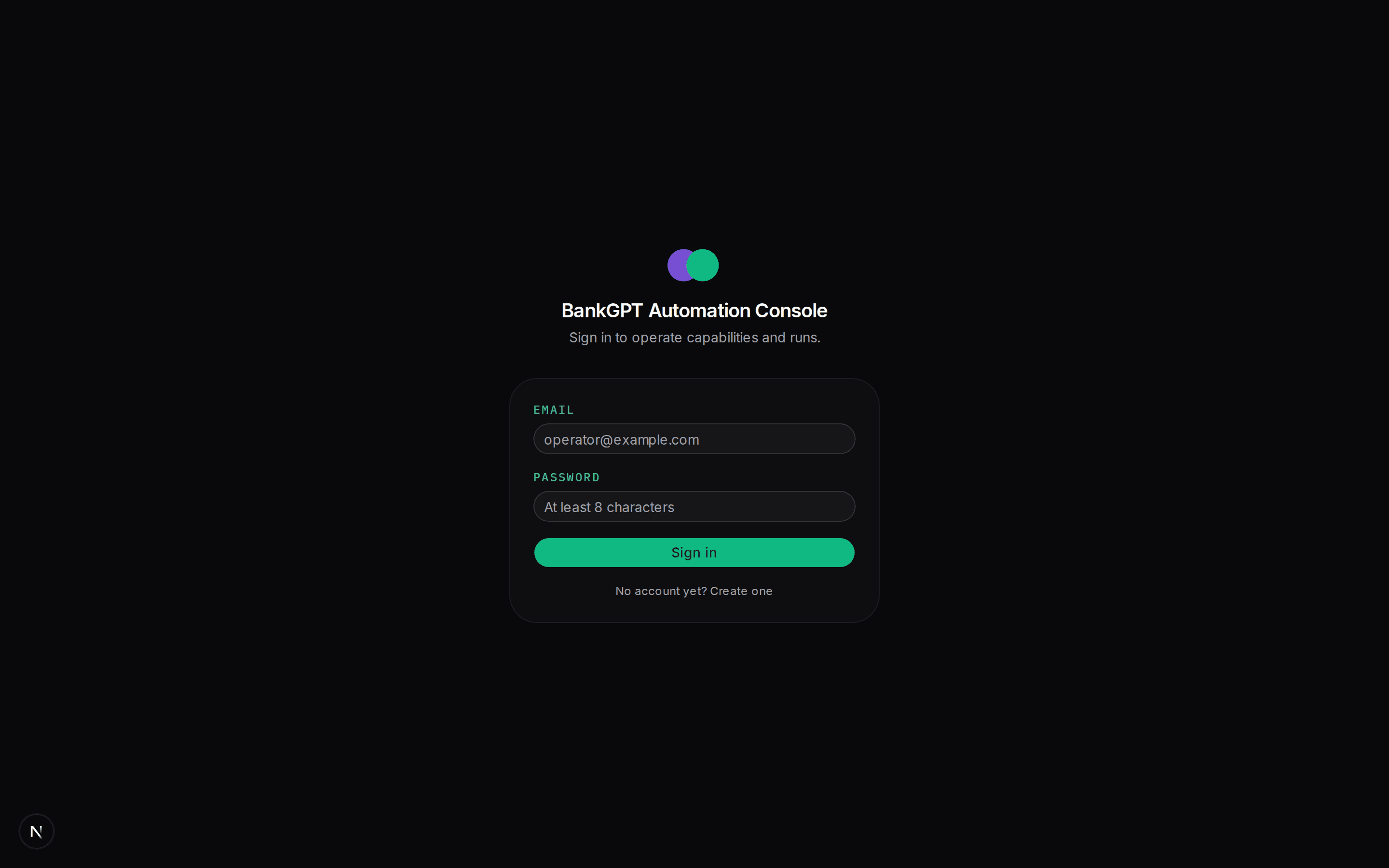
The frontend (apps/frontend, port 3000) is the human surface. It has two
halves: the /admin operator console (capabilities, runs, discovery,
interventions, policy, users, system) and the /chat caller
simulation (a stand-in for the AI agent that will eventually call
capabilities). Both are auth-gated; the first registered user is the
admin.
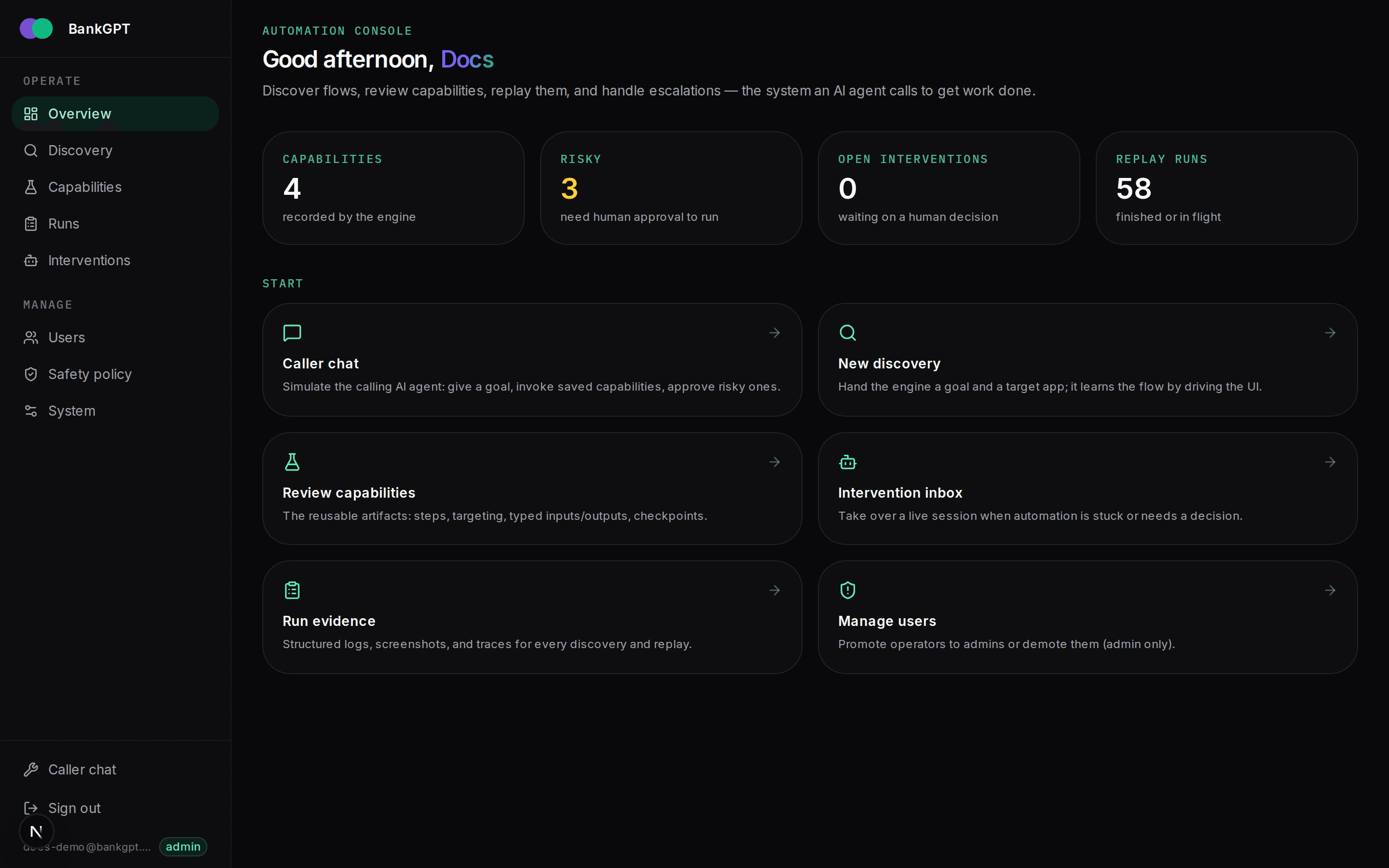
Overview (/admin)
The landing page is a live dashboard: capability and risky counts, open interventions, replay-run totals, and quick links into every workflow. When the engine is unreachable the numbers fall back to the stub catalog and an "engine offline" banner explains how to start it.
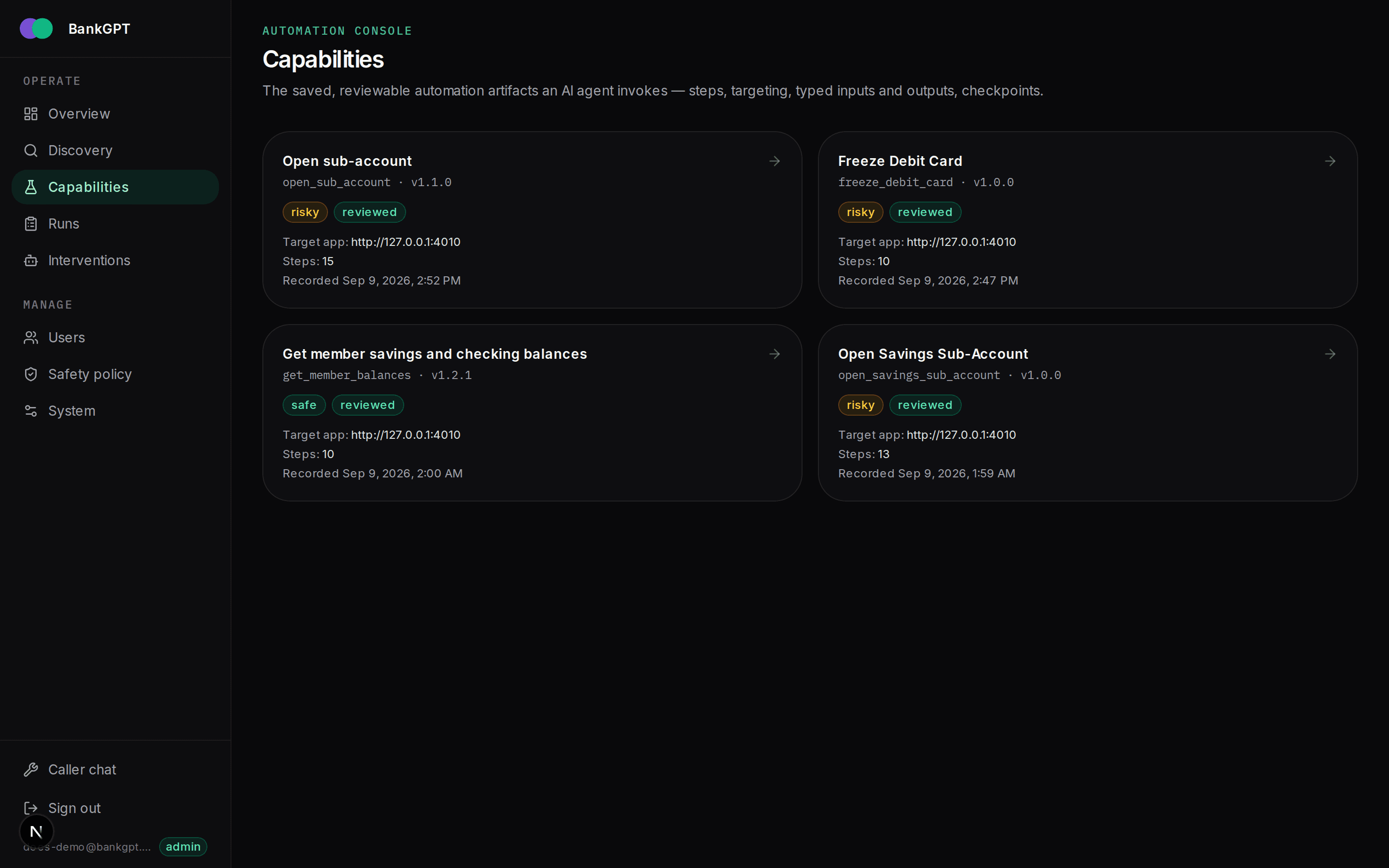
Capabilities (/admin/capabilities)
The catalog lists every stored capability version (newest first) with its risk class and review state. This is where a reviewer opens an artifact.
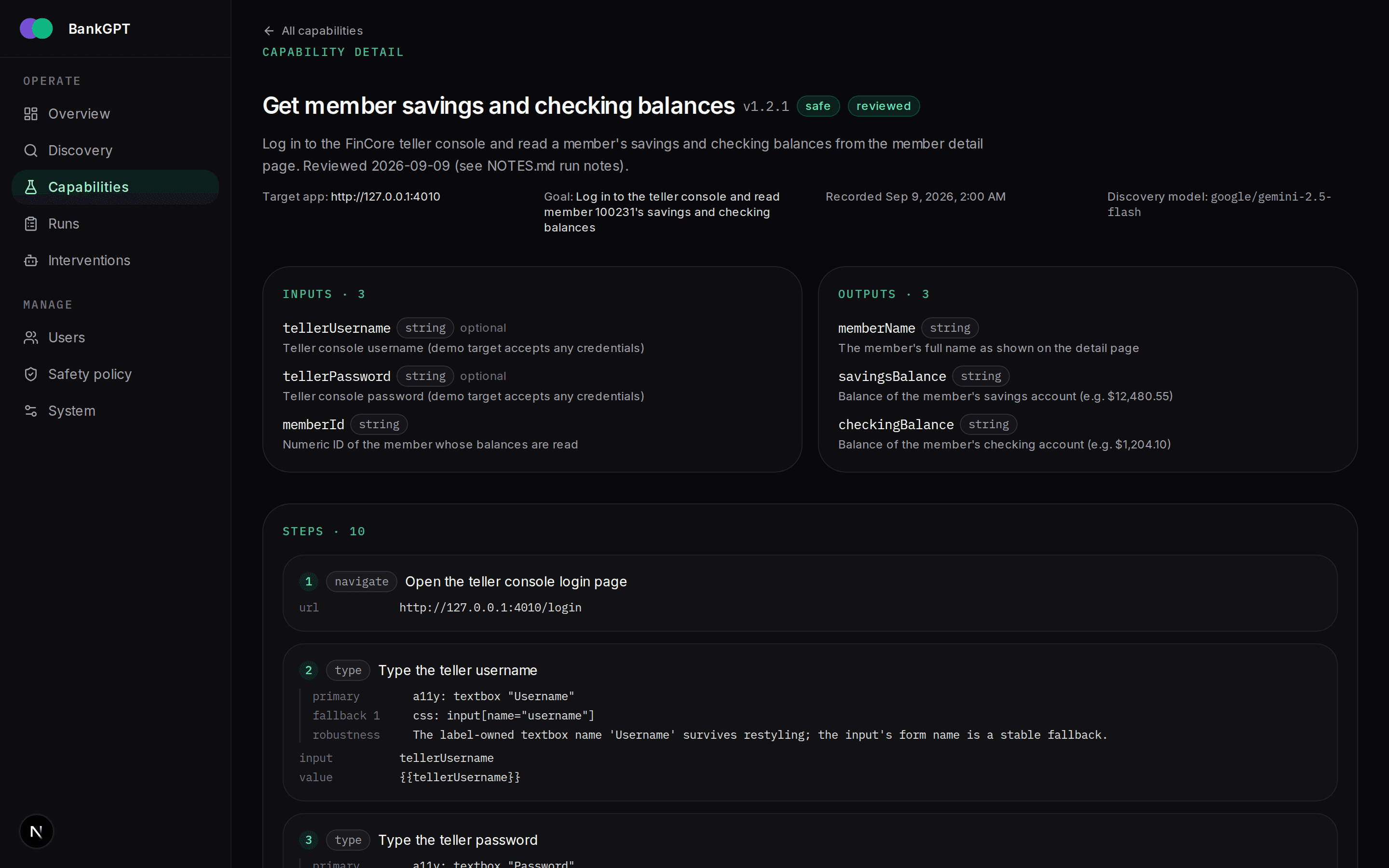
Capability detail (/admin/capabilities/:id)
The detail page renders the artifact for a human reviewer: identity and provenance (target app, goal, discovery model, recorded time), the typed inputs and outputs, and every ordered step with its strategy-tagged locators, fallbacks, and the robustness note the discovery model wrote. From here an admin marks the artifact reviewed (which bumps the version) or launches a replay with typed inputs.
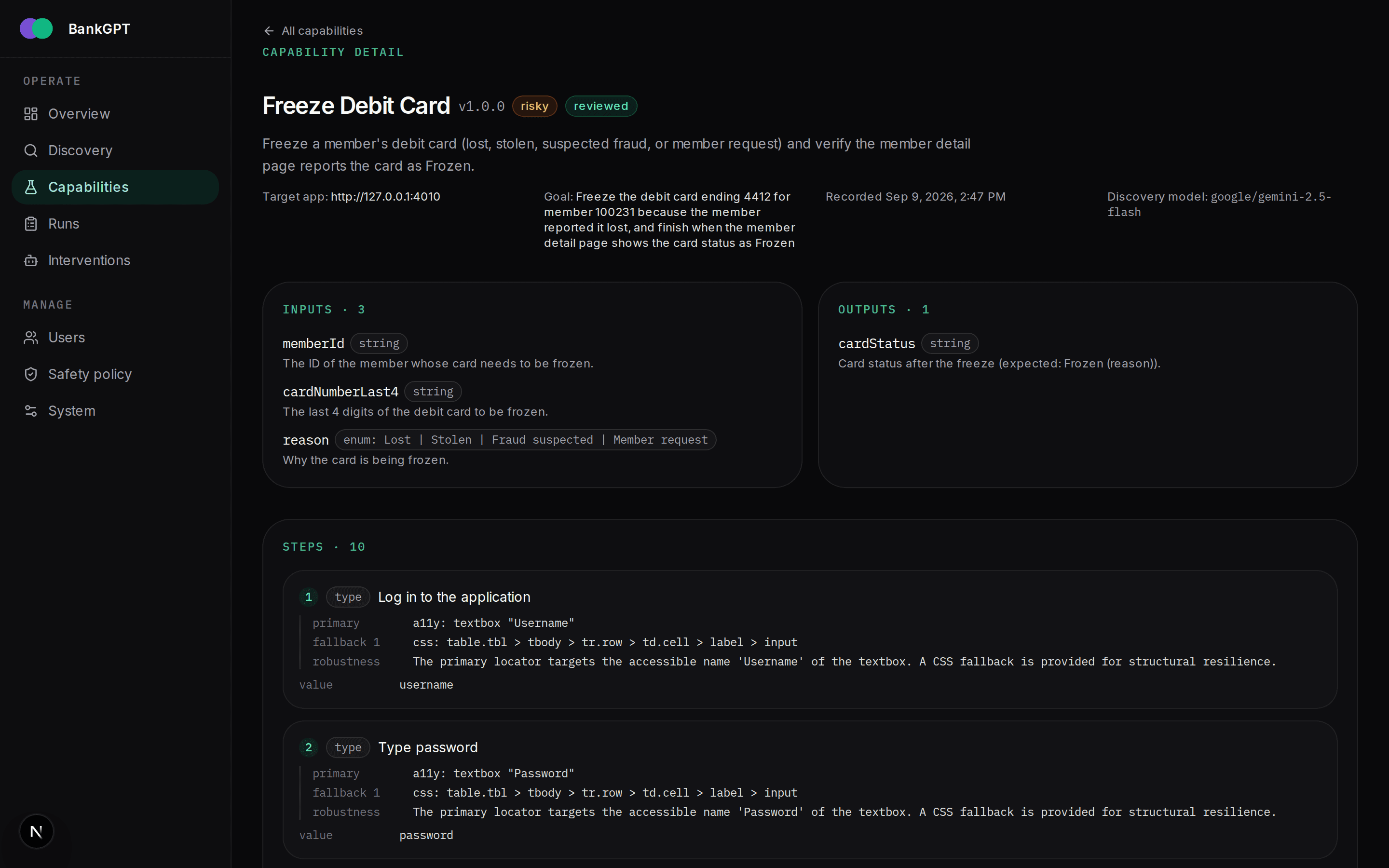
A risky capability shows the same contract but is gated: it refuses to replay until it is reviewed, and every server-invoked run raises an operator approval.
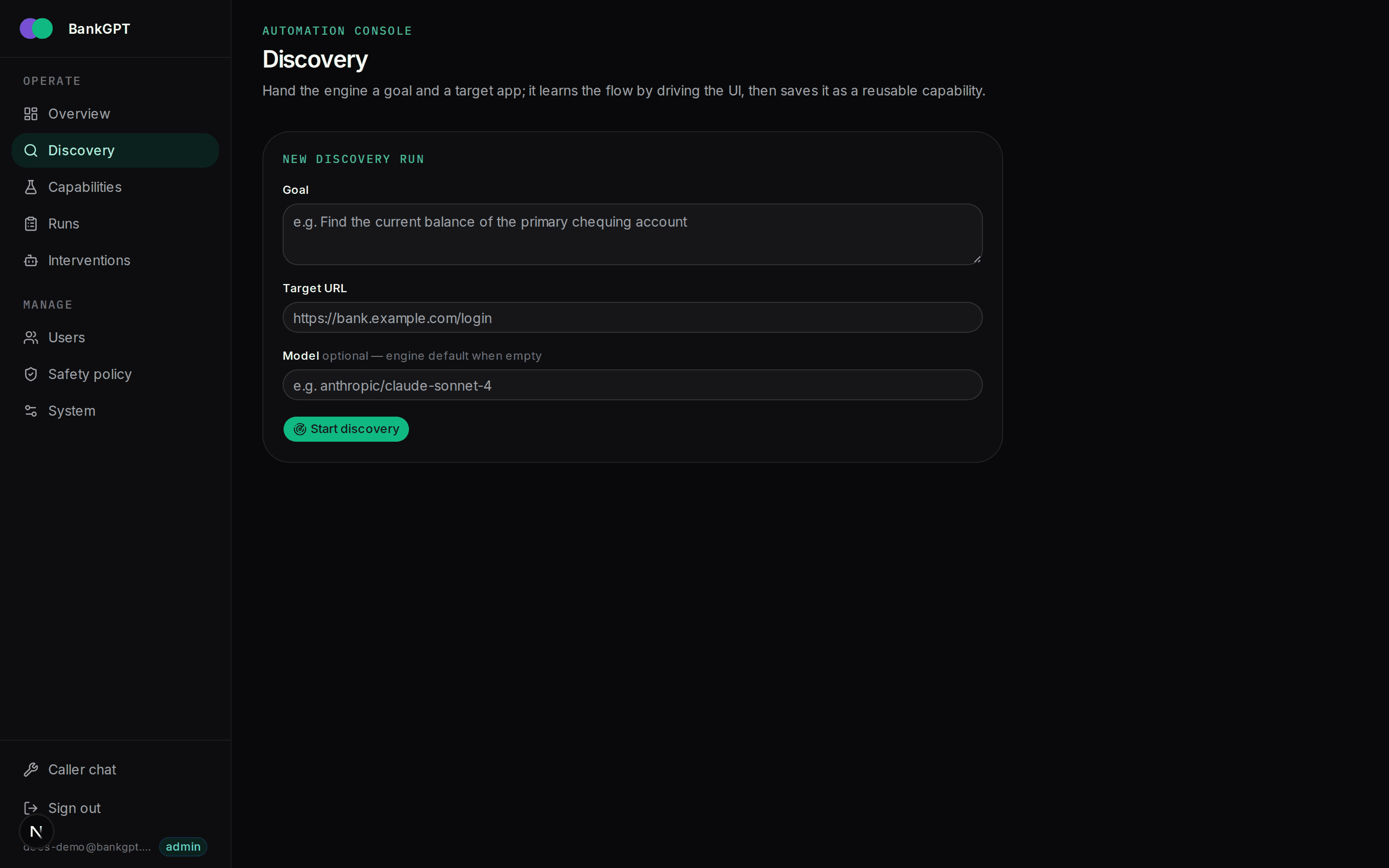
Discovery (/admin/discover)
The discovery form takes a natural-language goal and a target URL and starts a genuine LLM-driven run. The model drives a live Chromium — one structured action per step — until the goal is met, it reports stuck, or a limit fires. On success the run is distilled into a new artifact.
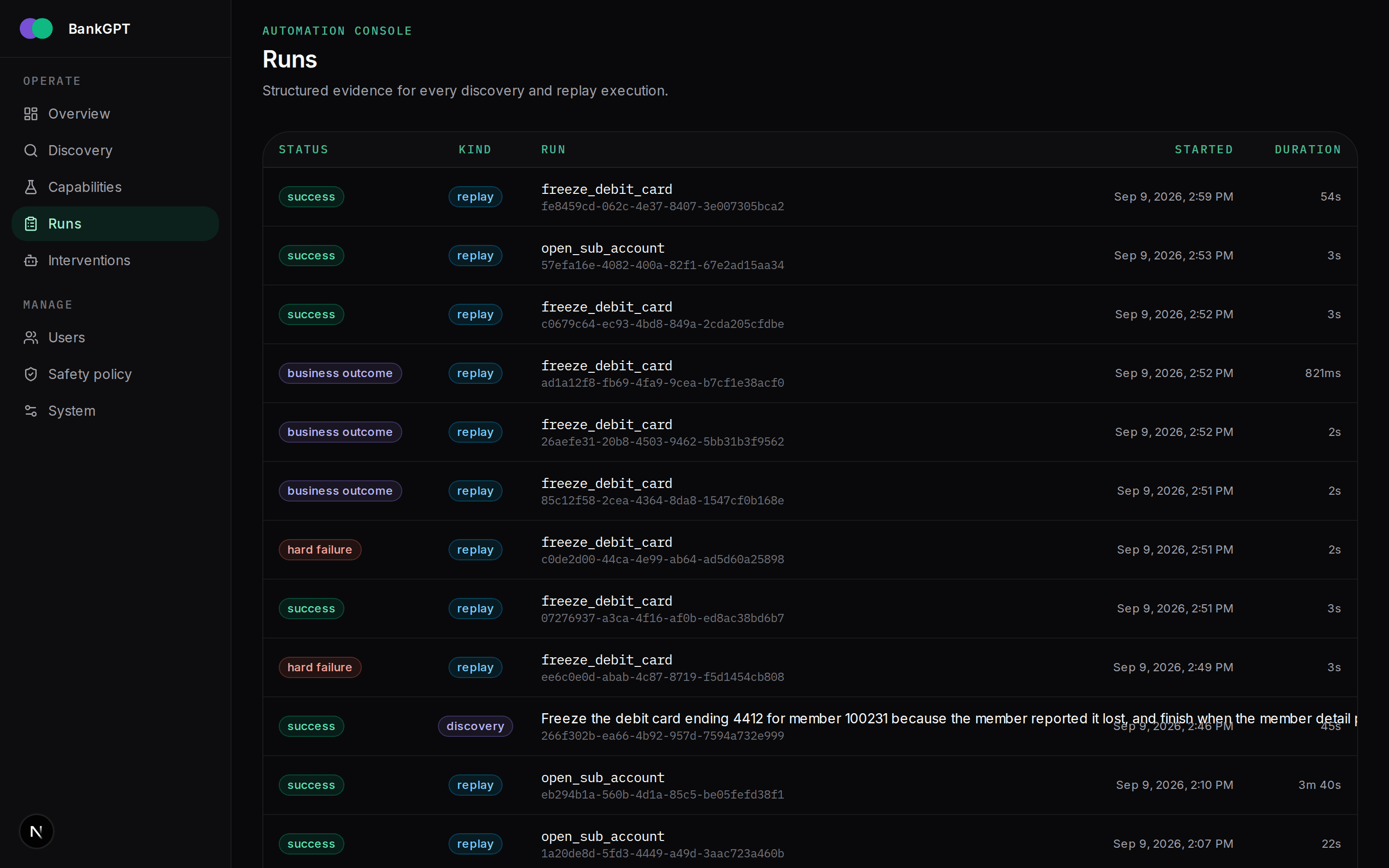
Runs (/admin/runs)
Every discovery and replay run is listed with its kind, status, capability, and duration. Click through for the full evidence.
Run detail (/admin/runs/:id)
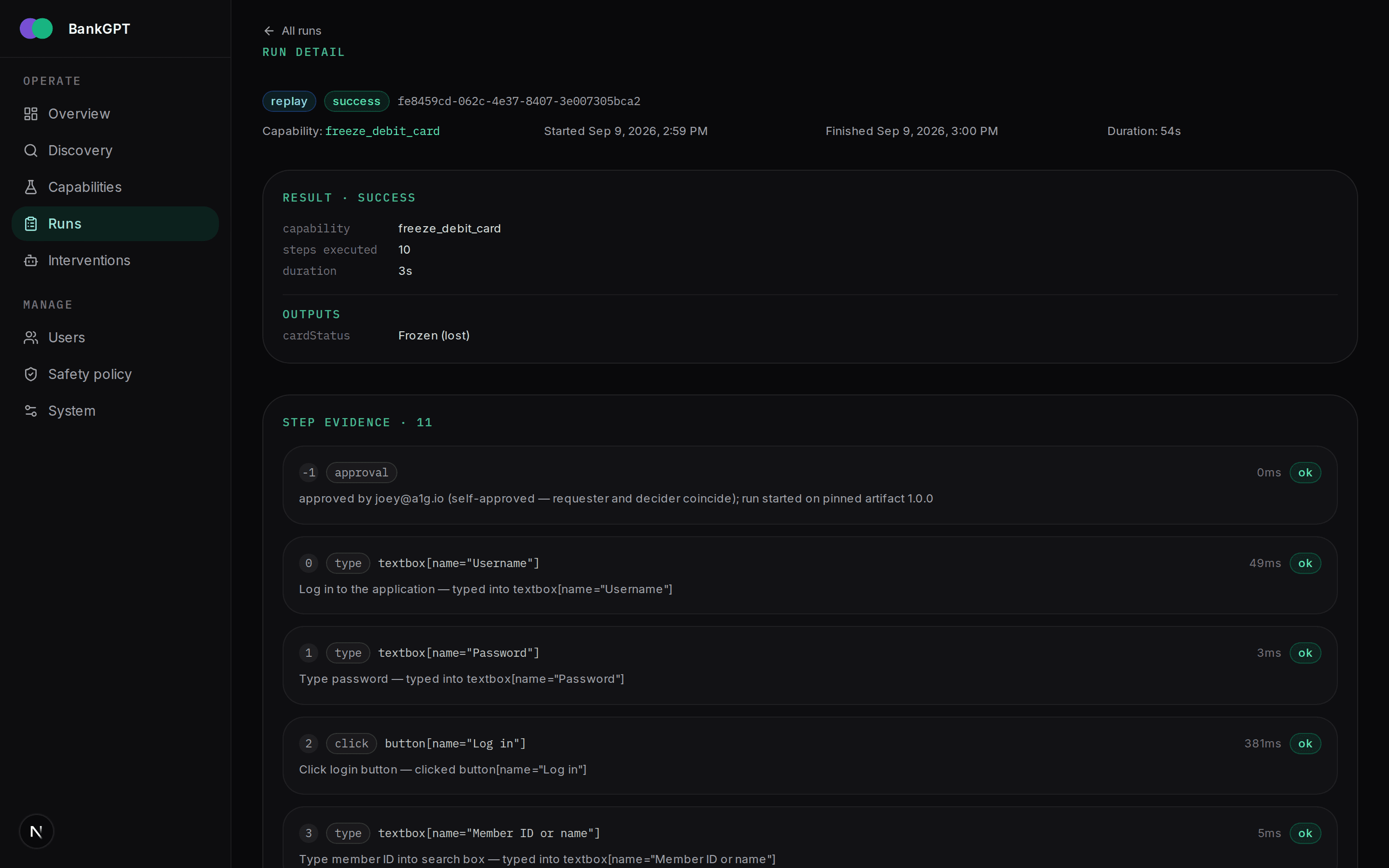
The run detail is the audit view: the structured result (status, steps executed, duration, typed outputs) followed by the per-step evidence — each step's action, resolved target, the recorded reason, and its duration. Approval and dialog steps are logged inline so the decision trail is complete.
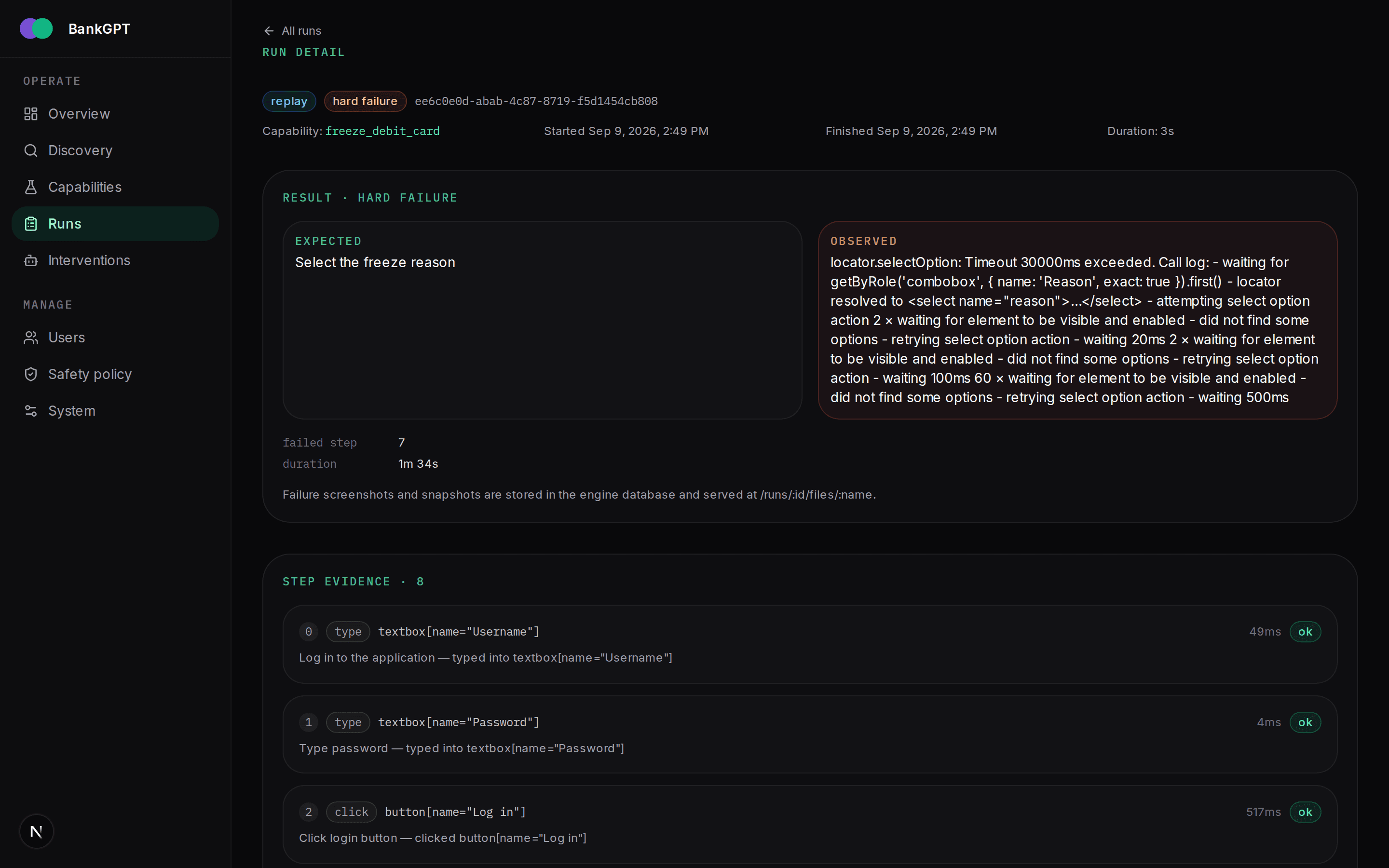
A failed run shows the same step log plus the failure screenshot and the accessibility snapshot captured at the moment it broke.
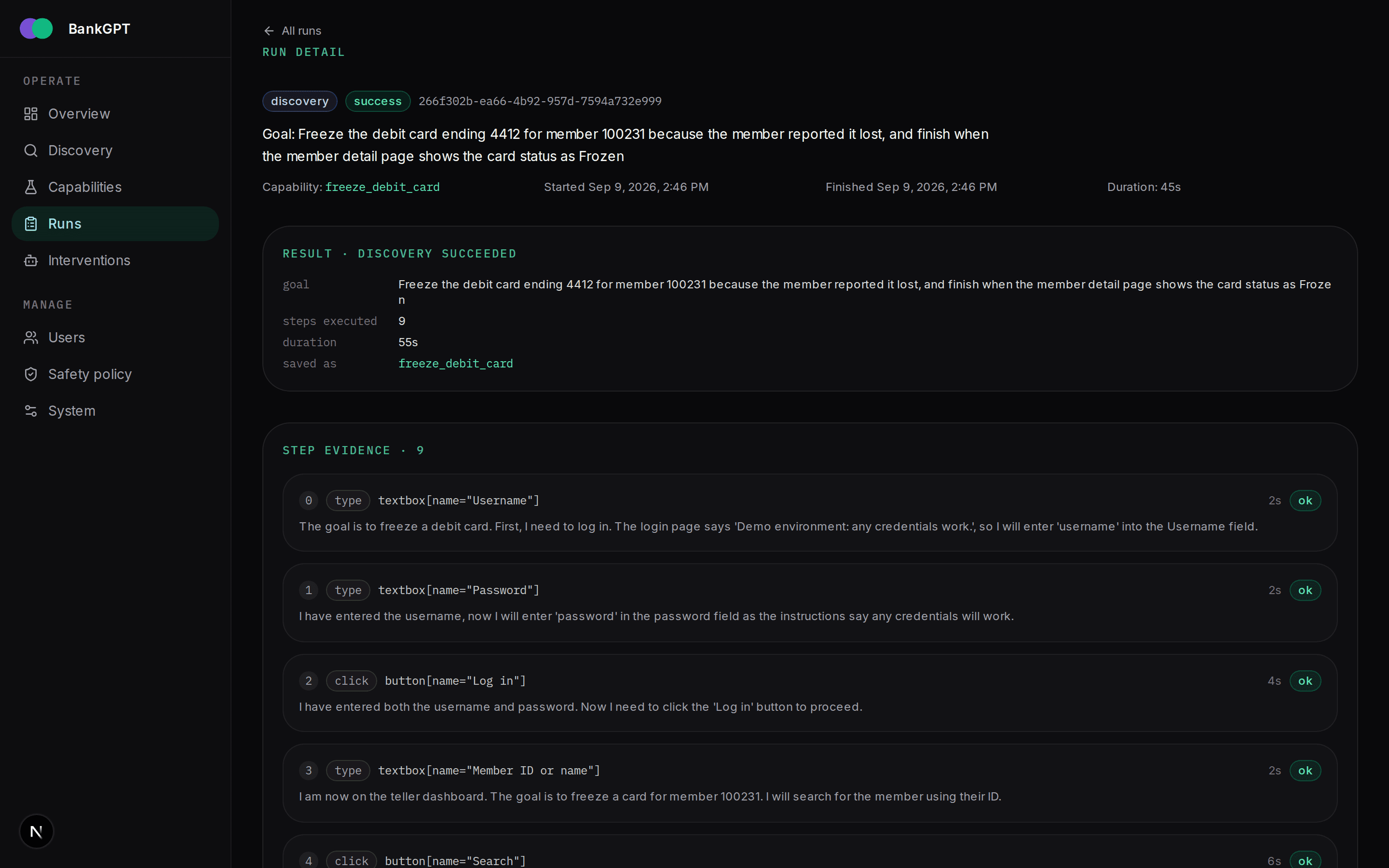
A discovery run additionally carries the full model transcript — every observe → decide → act iteration — which is what makes the run verifiable as genuine.
Interventions (/admin/interventions)
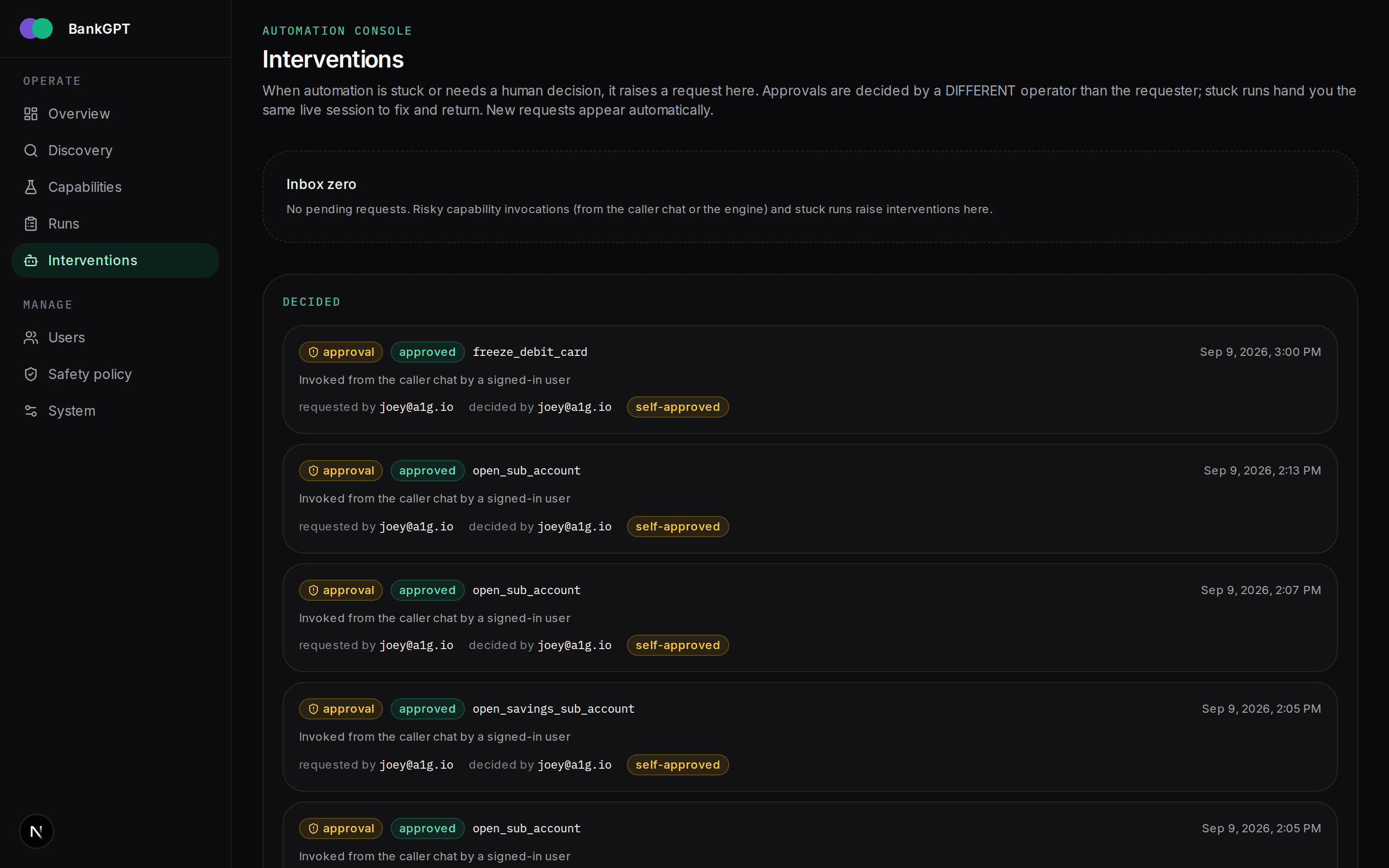
The inbox where automation asks for a human. Two kinds of request land here:
- Approvals — a risky capability was invoked; a different operator
approves or rejects it. Same-person decisions are recorded and flagged
as
self-approvedrather than blocked, so single-account demos still work. - Stuck runs — replay could not satisfy a step checkpoint; the operator takes over the same live session through the take-over panel, acts in the browser directly, and hands control back.
Safety policy (/admin/policy)
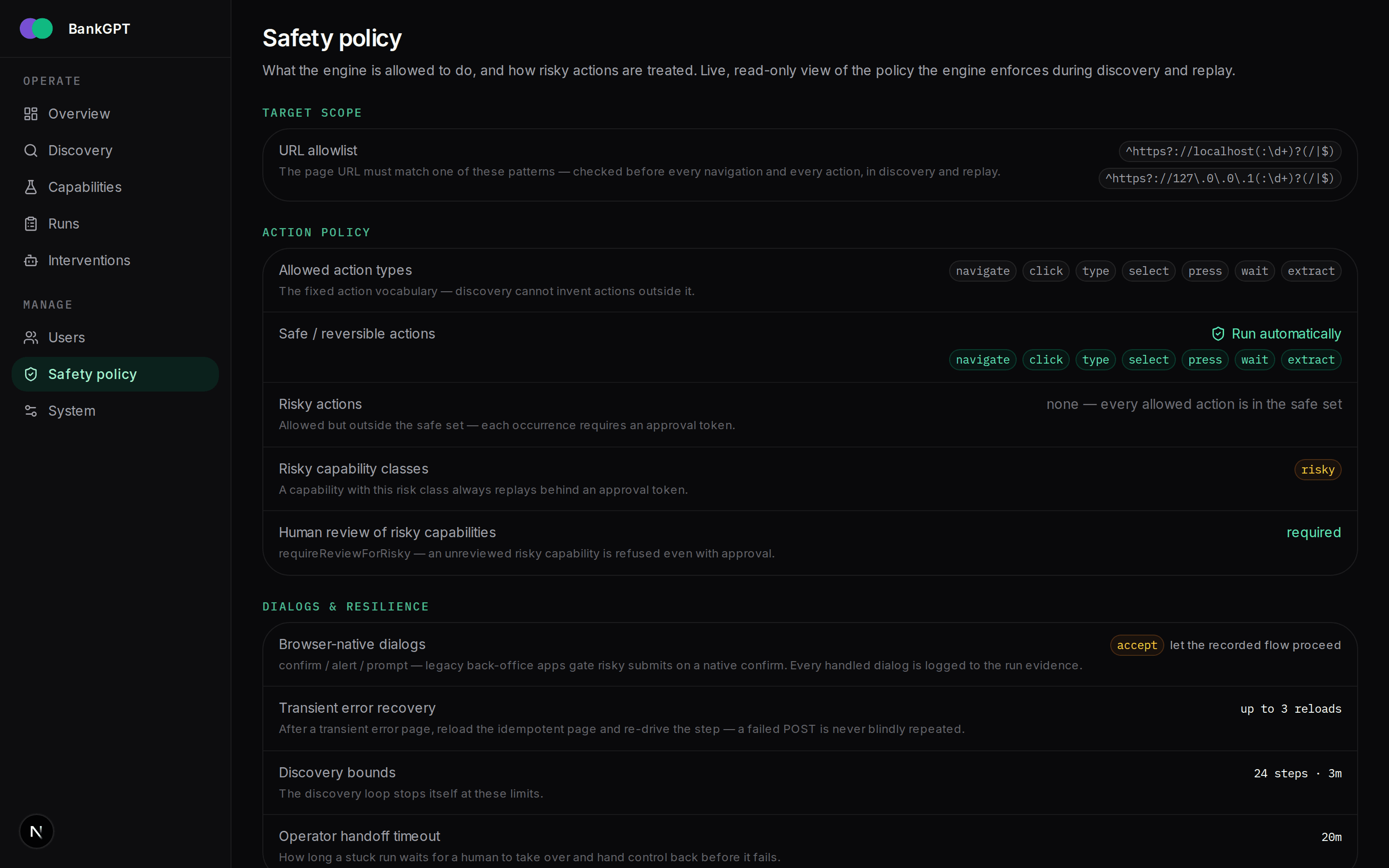
The active policy the engine enforces: URL allowlist, allowed/safe action sets, risk rules, discovery limits, dialog handling, and the handoff timeout. See Approvals & handoff for what each field means.
System (/admin/system)
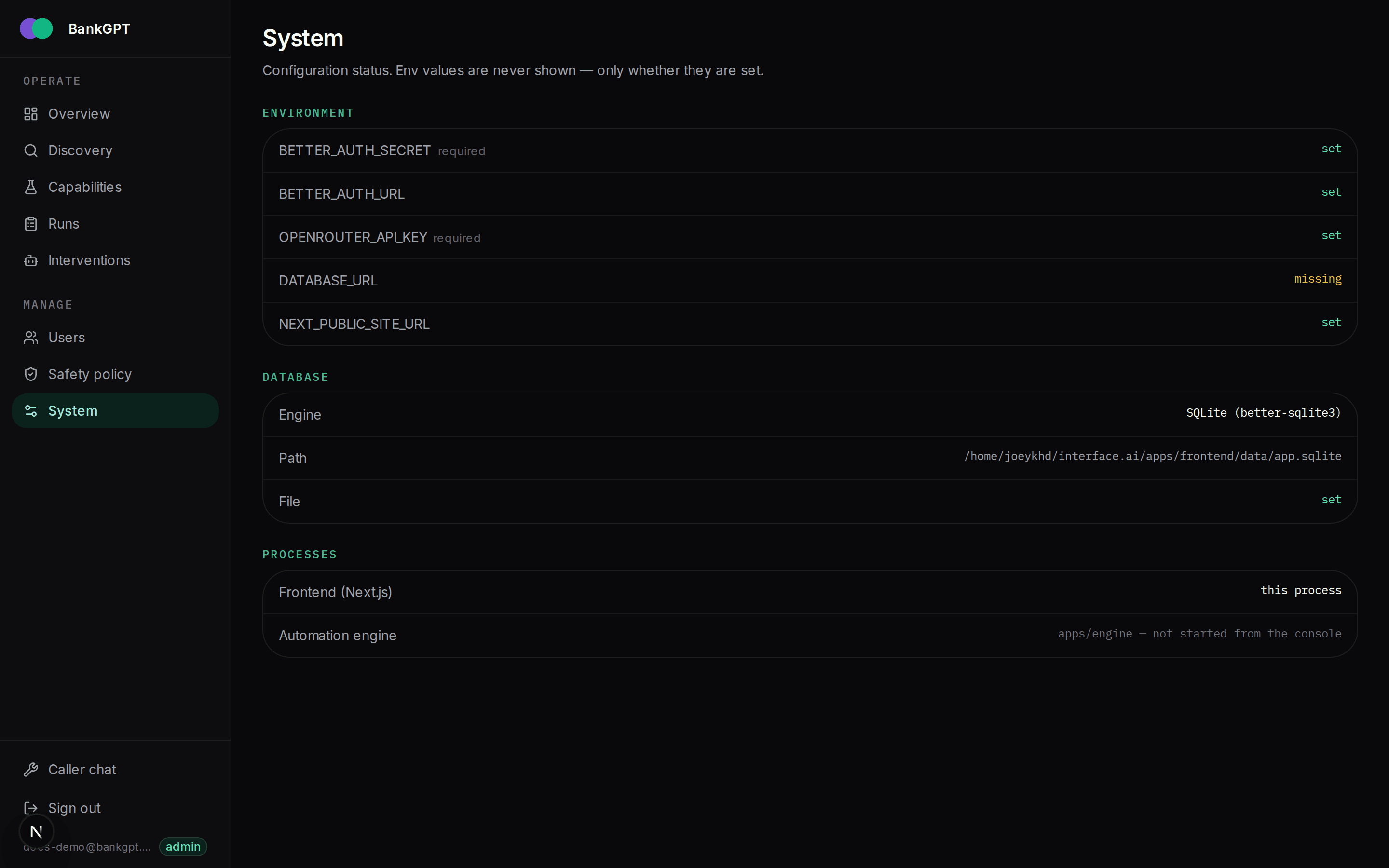
Engine health and connectivity: whether the engine is reachable, the policy it loaded, and the provider/model configuration the frontend uses for the caller chat.
Users (/admin/users)
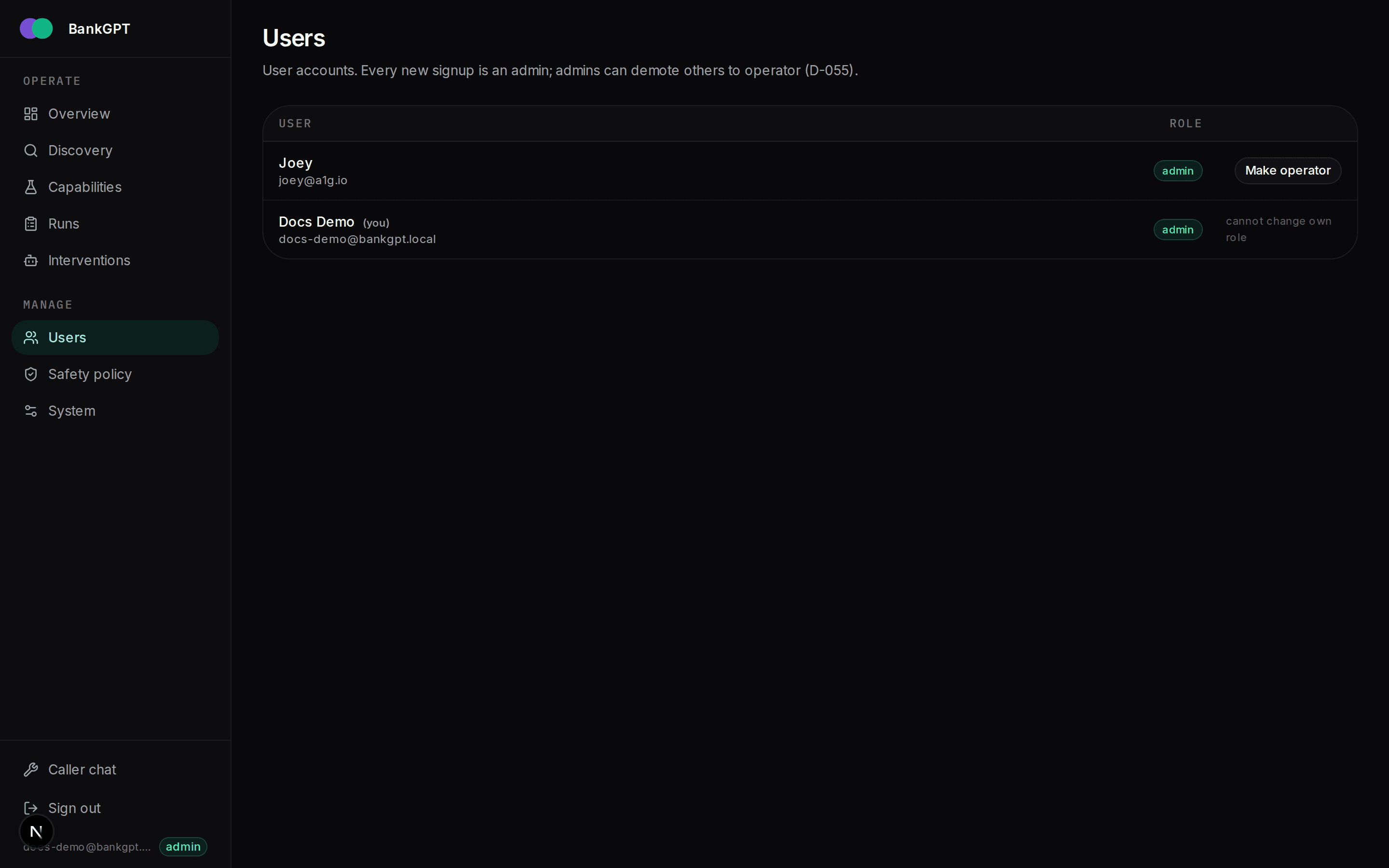
Admin-only account management. Every signup is an admin by default;
admins can demote an account to operator (operators use the console but
cannot manage users).
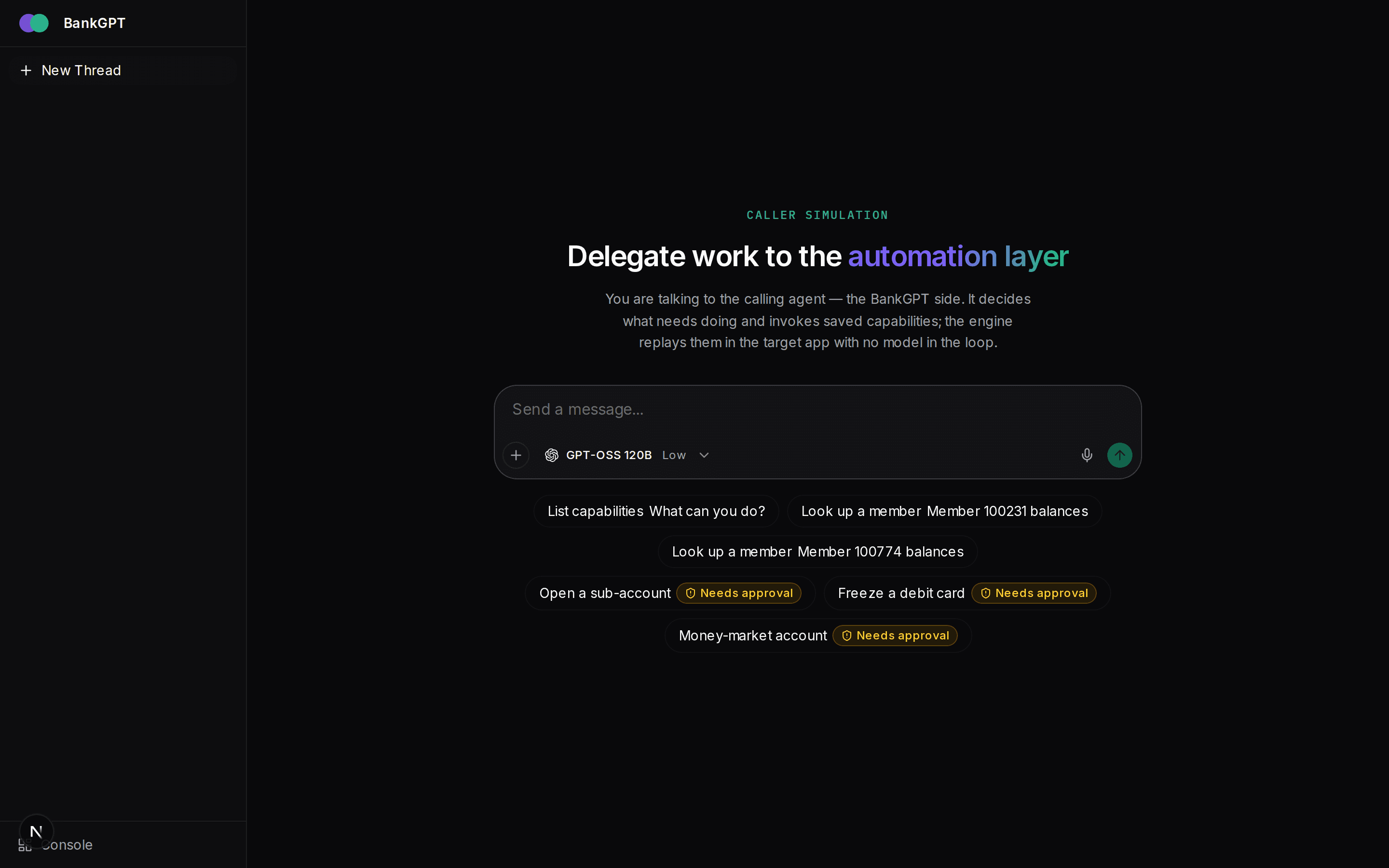
Caller chat (/chat)
The caller simulation: a chat agent that invokes saved capabilities by name with typed inputs. Safe capabilities replay straight through; risky ones raise an approval in the interventions inbox and the run starts automatically once a different operator approves. This is the stand-in for the production calling agent — it exercises the same engine API a real caller would.